Completing the e-KYC (Know Your Customer) process for your Bharat Gas LPG connection is a critical, government-mandated procedure designed to ensure that subsidies reach genuine beneficiaries and to streamline the national energy distribution framework.
The Ministry of Petroleum and Natural Gas has reinforced the requirement for biometric Aadhaar authentication (e-KYC) for all domestic LPG consumers across India.Whether you rely on your gas connection for daily cooking or manage multiple connections for your family, updating your KYC details is essential to avoid service disruptions.
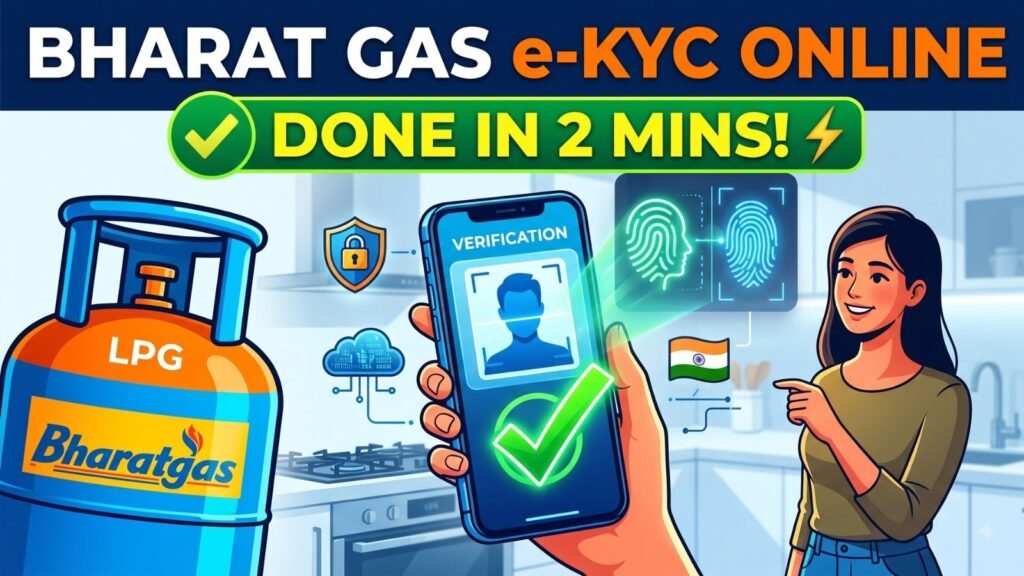
Here is a comprehensive guide to understanding, preparing for, and successfully completing your Bharat Gas e-KYC online.
1. Why is e-KYC Mandatory for Bharat Gas Consumers?
For years, the Indian LPG distribution network faced challenges with “ghost” connections, duplicate accounts, and the diversion of subsidized domestic cylinders into the commercial market.To combat this, the government introduced the Direct Benefit Transfer (DBT) scheme (PAHAL), linking subsidies directly to bank accounts. The current e-KYC mandate is the next evolutionary step in this digitization process.
The primary objectives behind this nationwide drive include:
- Eliminating Duplicate Connections:The e-KYC process uses Aadhaar’s biometric deduplication to ensure that a single household does not hoard multiple subsidized connections under different names or addresses.
- Targeting Subsidies Accurately:By cryptographically linking the LPG consumer ID, Aadhaar number, and bank account, the government guarantees that the subsidy meant for the economically vulnerable directly reaches their verified bank accounts.
- Updating Contact Information: Over time, consumers change their primary mobile numbers or shift residences. e-KYC forces an update of the national LPG database, ensuring distributors have the correct contact and address details for emergency support and delivery.
- Preventing Commercial Diversion: Subsidized domestic cylinders are strictly for household use. Strict KYC verification makes it incredibly difficult for bad actors to siphon domestic gas into commercial channels.
2. Prerequisites: What You Need Before You Start
Completing the process online is highly convenient, saving you a trip to your local gas distributor. However, before you begin the online application, ensure you have the following ready:
- A Smartphone with a Working Camera:You will need a smartphone (Android or iOS) to download the necessary applications and perform a live face scan. Ensure your camera lens is clean and you are in a well-lit room.
- Your Registered Mobile Number: The smartphone must contain the SIM card of the mobile number currently registered with your Bharat Gas agency.
- Aadhaar Number: Keep your 12-digit Aadhaar number handy.
- Aadhaar-Linked Mobile Number:If you opt for the OTP verification method instead of a face scan, you must have access to the mobile number registered with UIDAI to receive the Aadhaar OTP.
3. Step-by-Step Online e-KYC via the “Hello BPCL” App
The most streamlined and official method to complete your Bharat Gas e-KYC online is through the Hello BPCL mobile application. Because the process requires biometric verification, you will actually need two separate applications working together: the Hello BPCL app and the official Aadhaar face authentication backend.
1.Download the Required Applications:You need both apps for biometric verification.
First, navigate to the Google Play Store (for Android) or the Apple App Store (for iOS). Search for and install the Hello BPCL app. Next, search for and install the Aadhaar FaceRD app (developed by UIDAI). Note that the Aadhaar FaceRD app does not have a user interface or a standard app icon that you click to open; it runs silently in the background whenever an authorized app requests a face scan.
2.Register and Log In to Hello BPCL:
Open the Hello BPCL application. Enter the mobile number that is registered with your Bharat Gas connection. You will receive a One-Time Password (OTP) via SMS to verify your device. Enter the OTP to log in and set up your profile if you are a first-time user.
3.Locate the e-KYC Portal:
Once logged in, navigate to the app’s home screen. Look for the “My Profile” or “LPG Details” section. Within this menu, you will clearly see an option labeled “Complete e-KYC” or simply “eKYC”. Tap on this option to initiate the process.
4.Consent and Choose Verification Method:Aadhaar authentication consent.
The app will display a consent form asking for your permission to use your Aadhaar data for digital verification. Read and accept the terms and conditions. You will then be prompted to choose your preferred method of biometric authentication: Face Scan or OTP.
5.Execute the Face Scan (Recommended):Ensure good lighting.
If you select Face Scan, the Hello BPCL app will automatically trigger the Aadhaar FaceRD backend you installed earlier. Your front camera will open. Hold the phone steady at eye level, ensure your face is well-lit from the front (avoid standing with a bright window directly behind you), and follow the on-screen prompts—usually requiring you to blink once or twice to prove “liveness”.
6.Alternative: OTP Authentication:
If your smartphone camera is malfunctioning or the face scan repeatedly fails, choose the OTP method. An OTP will be dispatched to the mobile number legally linked to your Aadhaar card. Enter this OTP into the app.
7.Submit and Await Confirmation:
Once the scan is successful or the OTP is verified, the app will cross-reference your Aadhaar data with the LPG database. You will see a success message on the screen confirming that your e-KYC request has been submitted. The final approval typically reflects in the system shortly after.
4. The Offline Alternative
While the online method is highly encouraged, the government and BPCL recognize that not all consumers are comfortable with mobile applications or have access to smartphones and stable internet. If you encounter persistent technical glitches, the traditional offline route remains fully functional.
To complete the process offline, visit your authorized Bharat Gas distributor’s office.Ask the counter clerk for an LPG KYC Application Form.You will need to fill in your consumer ID, personal details, and Aadhaar number.Along with the signed form, you must submit self-attested photocopies of your Aadhaar card (Identity Proof), a valid Address Proof, and a recent passport-sized photograph. If you wish to ensure your DBT subsidy remains active, it is also wise to submit a copy of your bank passbook. Offline applications are usually processed and updated in the system within 4 to 5 business days.
5. What Happens If You Ignore the e-KYC Mandate?
Many consumers mistake the e-KYC requirement for a routine administrative formality and delay it indefinitely. However, the Ministry of Petroleum has tied strict consequences to non-compliance.
If your KYC remains incomplete past the mandated deadlines:
- Blocked Refills:The most immediate consequence is that the distributor’s booking portal may block your consumer ID, preventing you from booking your next cylinder refill.
- Loss of Subsidy:Even if you manage to book a cylinder at full market price, the DBT subsidy will immediately stop crediting to your bank account.
- Account Deactivation:In prolonged cases of non-compliance, the oil marketing company may flag the connection as unverified, ghost, or dormant, leading to a total suspension of the connection. Reactivating a suspended connection requires a much lengthier documentation process.
6. Pro-Tips for a Seamless e-KYC Experience
- Ensure the Base Triad is Linked: Completing the e-KYC alone does not guarantee your subsidy will arrive. Ensure the “Triad” is correctly linked: Your LPG Consumer ID must be linked to your Aadhaar Card, and your Aadhaar Card must be mapped to an active Bank Account with the correct IFSC code.
- Clear the Cache: If the Hello BPCL app crashes when trying to open the camera for the face scan, go to your phone’s settings, clear the cache for both the Hello BPCL app and the Aadhaar FaceRD app, and try again.
- Name Mismatches: If the name on your Bharat Gas connection heavily differs from the spelling on your Aadhaar card, the automated online e-KYC might fail. In such scenarios of severe name mismatch, visiting the distributor offline with supporting affidavits or name-change documentation is the only viable path.
- Beware of Scams: BPCL will never call you asking for an OTP to complete your KYC over the phone. The process must be initiated by you through the official app or in person at the distributor. Any SMS claiming your gas will be blocked today and providing a random link to “update KYC” is a phishing scam. Always use the official application downloaded directly from the verified App Store or Play Store.